
Console Dashboard
When you log in to the BioLM Console, you’ll land on your main Dashboard — a centralized view of your workspace activity, active resources, and quick links to help you get started.
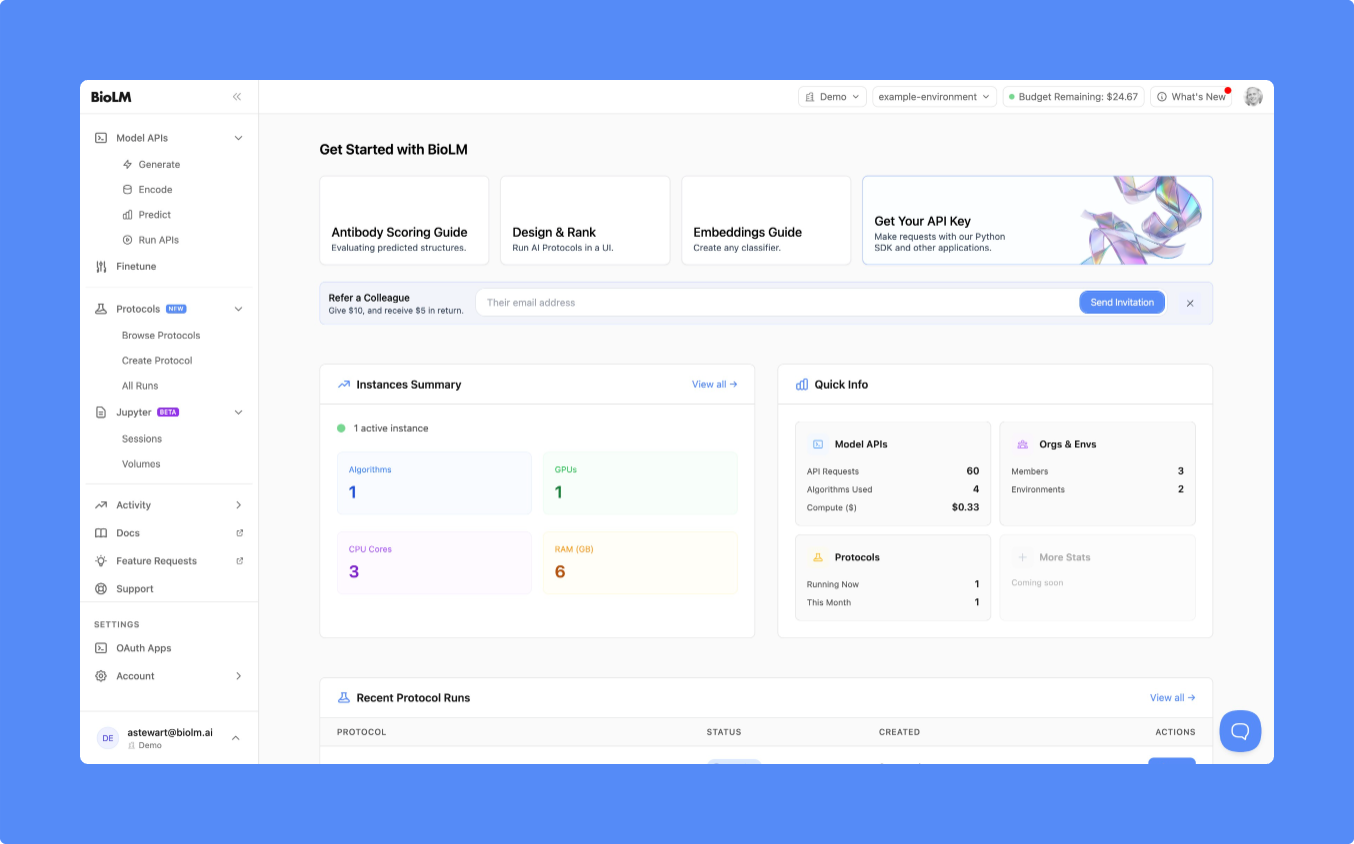
Getting Started Section
At the top of the page, you’ll find a Get Started with BioLM section featuring quick guides and links for common workflows:
- Antibody Scoring Guide – evaluate predicted structures
- Design & Rank – run AI protocols in a user interface
- Embeddings Guide – create or test embeddings
- Get Your API Key – connect to BioLM through the SDK or API
You can also use the Refer a Colleague box to invite collaborators and share credits.
Instances Summary
Below the guides, the Instances Summary panel shows your currently running resources — including the number of algorithms, GPUs, CPU cores, and memory (RAM) in use.
You can select View all → to see a complete list of active instances.
Quick Info
To the right, the Quick Info card provides at-a-glance statistics for:
- Model APIs – API requests, algorithms used, and compute cost
- Protocols – number running now and this month
- Orgs & Envs – total members and environments in your organization
This section helps you monitor your workspace usage at a glance.
Recent Protocol Runs
Scroll down to view Recent Protocol Runs.
If you haven’t run any protocols yet, you’ll see a “Browse Protocols” button that takes you directly to the Protocol Catalog to start your first experiment.
Jupyter Sessions and Volumes
The Jupyter Sessions panel shows your currently active notebook sessions and the time since creation, with an Open button for quick access.
Next to it, Volumes lists available storage directories for your workspace. Each volume can be used to store input data or results shared across sessions.
Your Context
At the bottom of the Dashboard, the Your Context section summarizes your current account and environment — including:
- Account (Personal or Organization)
- Environment (e.g.,
default) - Budget – remaining compute balance
You can click Details → to view billing and usage breakdowns.